
Teradata has been the dominant enterprise data warehouse for decades, powering analytics at the world’s largest banks, telecoms, retailers, and government agencies. But the economics of Teradata — per-node hardware licensing, dedicated AMPs, expensive professional services, and multi-year contracts — have driven a massive migration wave toward Google BigQuery. Google has invested heavily in Teradata-to-BigQuery tooling, including the BigQuery Migration Service, and the architectural similarities between Teradata’s massively parallel processing engine and BigQuery’s serverless distributed query engine make the migration technically sound. The challenge lies in the SQL dialect differences, BTEQ scripting semantics, and the hundreds of Teradata-specific functions and data types that must be translated to BigQuery Standard SQL.
This guide covers the complete Teradata-to-BigQuery migration path: architectural comparison, component mapping, BTEQ script conversion, SQL transpilation with 500+ function remappings, and how MigryX automates the entire process at enterprise scale.
Why Teradata to BigQuery? The Strategic Case
Google’s Strong Teradata Migration Support
Google Cloud has made Teradata migration a strategic priority. The BigQuery Migration Service provides automated SQL translation for Teradata dialects, schema migration tools that convert Teradata DDL to BigQuery schemas, and data transfer utilities that move terabytes of data from Teradata to BigQuery via Google Cloud Storage. Google’s Migration Assessment tool analyzes Teradata workloads and generates compatibility reports showing which queries, stored procedures, and macros can be converted automatically and which require manual intervention.
This first-party investment means that Teradata-to-BigQuery is one of the most mature and well-supported migration paths in the cloud data warehouse market. Organizations are not pioneering — they are following a well-trodden path with extensive tooling, documentation, and partner ecosystem support.
Cost Savings: From Per-Node to Per-Query
Teradata’s pricing model is based on dedicated hardware nodes, each containing Access Module Processors (AMPs) that store and process data. Organizations pay for the full capacity of every node, whether the workloads are running at 100% utilization or sitting idle at 2 AM. Adding capacity requires purchasing additional nodes, with lead times measured in weeks and costs measured in hundreds of thousands of dollars.
BigQuery’s on-demand pricing charges per terabyte scanned — currently $6.25 per TB for on-demand queries in most regions. There is no minimum commitment, no idle capacity cost, and no hardware provisioning. For organizations that have variable workloads (heavy during business hours, light overnight and weekends), the cost savings can be dramatic — typically 50–70% reduction in total warehouse spend. For predictable workloads, BigQuery’s capacity reservations (BigQuery Editions) provide flat-rate pricing that further optimizes costs.
Serverless: Zero Infrastructure Management
Teradata requires dedicated infrastructure teams to manage node health, disk space, AMP balancing, workload management (TASM/TIWM), backup and recovery, software upgrades, and capacity planning. These operational tasks consume significant engineering bandwidth and create bottlenecks for business-driven changes.
BigQuery is fully serverless. There are no nodes to manage, no disk space to monitor, no workload managers to configure. Google handles all infrastructure operations, including automatic performance optimization, storage management, and software updates. The engineering team that previously managed Teradata infrastructure can be redeployed to data engineering and analytics work that directly drives business value.

Teradata to BigQuery migration — automated end-to-end by MigryX
Architecture Comparison: Teradata AMP/PE vs. BigQuery Slots
Teradata and BigQuery are both massively parallel processing (MPP) architectures, which is why the migration path is technically sound. However, the implementation details differ significantly, and understanding these differences is critical for optimizing query performance after migration.
Teradata Architecture
Teradata uses a shared-nothing architecture where data is distributed across Access Module Processors (AMPs) based on the table’s Primary Index (PI). The Parsing Engine (PE) receives SQL queries, generates execution plans, and distributes work to AMPs. Each AMP owns a portion of the data and processes its portion independently. The BYNET interconnect handles inter-AMP communication for operations that require data redistribution (joins on non-PI columns, aggregations across AMPs).
Performance in Teradata is heavily influenced by the Primary Index choice. A well-chosen PI distributes data evenly across AMPs and minimizes data redistribution during joins. A poorly chosen PI creates data skew that overloads specific AMPs while others sit idle, leading to degraded query performance.
BigQuery Architecture
BigQuery separates storage and compute entirely. Data is stored in Google’s Colossus distributed file system in a columnar format called Capacitor. Query execution uses Dremel, a distributed query engine that dynamically allocates compute slots from a shared pool. Slots are the unit of parallelism — each slot processes a portion of the query workload. BigQuery automatically determines how many slots to allocate based on query complexity and available capacity.
Instead of Primary Indexes, BigQuery uses partitioning and clustering to optimize data access patterns. Partitioning divides a table into segments based on a column value (typically a date), reducing the amount of data scanned for time-bounded queries. Clustering sorts data within partitions based on up to four columns, enabling efficient filtering and join operations on those columns.
The key architectural insight for migration teams: Teradata’s Primary Index is a data distribution mechanism that affects both storage layout and query performance. BigQuery’s partitioning and clustering are optimization hints that affect query performance but do not constrain data distribution. This means BigQuery is more forgiving of suboptimal choices — a poorly partitioned table still works, it just costs more per query.
MigryX: Purpose-Built Parsers for Every Legacy Technology
MigryX does not rely on generic text matching or regex-based parsing. For every supported legacy technology, MigryX has built a dedicated Abstract Syntax Tree (AST) parser that understands the full grammar and semantics of that platform. This means MigryX captures not just what the code does, but why — understanding implicit behaviors, default settings, and platform-specific quirks that generic tools miss entirely.
Component Mapping: Teradata to BigQuery
Every Teradata concept, command, and feature has an equivalent or alternative in BigQuery. The following comprehensive mapping table serves as the definitive reference for migration teams.
| Teradata Component | BigQuery Equivalent | Notes |
|---|---|---|
| BTEQ (.bteq scripts) | BigQuery CLI (bq query) / API / Composer | BTEQ commands parsed and converted to bq CLI or API calls |
.LOGON / .LOGOFF | Service account authentication | gcloud auth or service account key-based auth replaces .LOGON |
.EXPORT | EXPORT DATA statement | BigQuery EXPORT DATA writes to GCS in CSV, JSON, Avro, or Parquet |
.IMPORT | bq load / LOAD DATA | Data loading from GCS using bq CLI or LOAD DATA statement |
QUALIFY | QUALIFY (supported natively) | BigQuery supports QUALIFY clause — direct 1:1 mapping |
| PRIMARY INDEX (PI) | Partition + Cluster | PI data distribution replaced by partition pruning and cluster filtering |
COLLECT STATISTICS | Automatic optimization | BigQuery collects statistics automatically — no manual COLLECT STATS needed |
| VOLATILE TABLE | Temporary table / CTE | CREATE TEMP TABLE in scripting or WITH clause CTEs |
MERGE INTO | MERGE (supported natively) | BigQuery MERGE supports MATCHED/NOT MATCHED with identical semantics |
| MULTISET TABLE | Default (duplicates allowed) | BigQuery tables allow duplicates by default — no conversion needed |
| SET TABLE | SELECT DISTINCT / dedup logic | SET table uniqueness must be enforced via query logic or DQ checks |
| CASESPECIFIC / NOT CASESPECIFIC | COLLATE / LOWER() comparison | Case sensitivity handled via COLLATE or explicit LOWER/UPPER wrapping |
| PERIOD data type | Date range columns (start/end) | PERIOD(DATE, DATE) decomposed to two DATE columns with range logic |
| BYTE / VARBYTE | BYTES | Binary types map to BigQuery BYTES |
| TIMESTAMP | TIMESTAMP | Direct mapping; precision differences handled by CAST |
| TIMESTAMP WITH TIME ZONE | TIMESTAMP (UTC) | BigQuery TIMESTAMP is always UTC; timezone conversion via functions |
| NUMBER | NUMERIC / BIGNUMERIC | Teradata NUMBER maps to NUMERIC for fixed precision |
| BYTEINT | INT64 | Widened to INT64 (BigQuery has no smaller integer types) |
| CHAR(n) / VARCHAR(n) | STRING | BigQuery STRING has no length limit; validation via assertions if needed |
| Teradata Macros | BigQuery stored procedures / parameterized queries | Macro bodies converted to procedures with parameters |
| Stored Procedures (SPL) | BigQuery scripting (SQL procedures) | SPL control flow maps to BigQuery DECLARE, IF, LOOP, EXCEPTION |
| User Defined Functions (UDF) | BigQuery UDF (SQL or JavaScript) | Teradata UDFs converted to BigQuery SQL UDFs or JS UDFs |
| Views | BigQuery views | View SQL transpiled from Teradata dialect to Standard SQL |
| Teradata TASM / TIWM | BigQuery reservations / workload management | Workload prioritization via BigQuery Editions capacity management |
| Teradata Unity | BigQuery multi-region / DR | High availability managed by Google Cloud infrastructure |
| Teradata QueryGrid | BigQuery Omni / federated queries | Cross-platform queries via BigQuery external connections |
BTEQ Script Conversion: Commands and Control Flow
BTEQ (Basic Teradata Query) is the command-line utility for executing SQL against Teradata. BTEQ scripts are not pure SQL — they interleave SQL statements with BTEQ-specific commands that control session management, error handling, data export/import, and conditional execution. Converting BTEQ scripts requires parsing the BTEQ command layer separately from the embedded SQL statements.
BTEQ Command Mapping
| BTEQ Command | BigQuery / Composer Equivalent |
|---|---|
.LOGON tdpid/user,password | gcloud auth activate-service-account |
.LOGOFF | Session ends automatically |
.SET WIDTH 200 | Not needed (BigQuery handles output formatting) |
.SET RETLIMIT 100 | LIMIT 100 in query |
.IF ERRORCODE <> 0 THEN .GOTO ERROR | Airflow task error handling / BigQuery scripting IF |
.IF ACTIVITYCOUNT = 0 THEN .GOTO NODATA | IF @@row_count = 0 THEN in BigQuery scripting |
.LABEL ERROR | Airflow on_failure_callback / BEGIN...EXCEPTION |
.EXPORT DATA FILE=output.txt | EXPORT DATA OPTIONS(uri='gs://...') |
.IMPORT DATA FILE=input.txt | bq load --source_format=CSV |
.RUN FILE=script.sql | bq query < script.sql or Composer operator |
.QUIT 0 / .QUIT 8 | Exit code handling in shell script / Airflow task status |
.OS command | BashOperator in Composer |
DATABASE dbname; | Default dataset in BigQuery client config |
Code Example: BTEQ Script to BigQuery
The following example shows a complete BTEQ script conversion. The original script logs into Teradata, creates a volatile table, loads data from a file, performs transformations with QUALIFY, and exports results.
-- ============================================
-- ORIGINAL TERADATA BTEQ SCRIPT
-- ============================================
.LOGON TDPROD/etl_user,${PASSWORD}

DATABASE analytics_db;

.IF ERRORCODE <> 0 THEN .GOTO ERRHANDLER

-- Create volatile staging table
CREATE VOLATILE TABLE vt_daily_orders AS (
    SELECT
        order_id,
        customer_id,
        order_date,
        amount,
        product_code,
        region_cd
    FROM orders_raw
    WHERE order_date = DATE - 1
) WITH DATA
PRIMARY INDEX (order_id)
ON COMMIT PRESERVE ROWS;

.IF ERRORCODE <> 0 THEN .GOTO ERRHANDLER

-- Deduplicate using QUALIFY with ROW_NUMBER
INSERT INTO orders_staging
SELECT
    order_id,
    customer_id,
    order_date,
    amount,
    product_code,
    region_cd
FROM vt_daily_orders
QUALIFY ROW_NUMBER() OVER (
    PARTITION BY order_id
    ORDER BY order_date DESC
) = 1;

.IF ACTIVITYCOUNT = 0 THEN .GOTO NODATA
.IF ERRORCODE <> 0 THEN .GOTO ERRHANDLER

-- Aggregate with Teradata-specific functions
CREATE TABLE daily_summary AS (
    SELECT
        order_date,
        region_cd,
        COUNT(*) AS order_count,
        SUM(amount) AS total_amount,
        AVG(amount) AS avg_amount,
        MEDIAN(amount) AS median_amount,
        STDDEV_POP(amount) AS stddev_amount,
        ZEROIFNULL(SUM(CASE WHEN amount > 10000
            THEN amount END)) AS high_value_total,
        NULLIFZERO(COUNT(CASE WHEN product_code
            LIKE 'PREM%' THEN 1 END)) AS premium_count
    FROM orders_staging
    GROUP BY 1, 2
) WITH DATA
PRIMARY INDEX (order_date, region_cd);

.IF ERRORCODE <> 0 THEN .GOTO ERRHANDLER

-- Export results
.EXPORT DATA FILE=/data/exports/daily_summary.csv
SELECT * FROM daily_summary
WHERE order_date = DATE - 1;
.EXPORT RESET

.LOGOFF
.QUIT 0

.LABEL NODATA
.LOGOFF
.QUIT 4

.LABEL ERRHANDLER
.LOGOFF
.QUIT 8
-- ============================================
-- CONVERTED BIGQUERY STANDARD SQL (scripting)
-- ============================================
-- Converted from: daily_order_etl.bteq
-- MigryX conversion ID: td-070-daily-order-etl
-- Original database: analytics_db

DECLARE v_row_count INT64;

-- Create temporary staging table (replaces VOLATILE TABLE)
CREATE TEMP TABLE vt_daily_orders AS
SELECT
    order_id,
    customer_id,
    order_date,
    amount,
    product_code,
    region_cd
FROM `project.analytics_db.orders_raw`
WHERE order_date = DATE_SUB(CURRENT_DATE(), INTERVAL 1 DAY);

-- Deduplicate using QUALIFY (BigQuery supports QUALIFY natively)
INSERT INTO `project.analytics_db.orders_staging`
SELECT
    order_id,
    customer_id,
    order_date,
    amount,
    product_code,
    region_cd
FROM vt_daily_orders
QUALIFY ROW_NUMBER() OVER (
    PARTITION BY order_id
    ORDER BY order_date DESC
) = 1;

SET v_row_count = @@row_count;

IF v_row_count = 0 THEN
    SELECT 'No data found for processing date' AS message;
    RETURN;
END IF;

-- Aggregate with BigQuery equivalents of Teradata functions
CREATE OR REPLACE TABLE `project.analytics_db.daily_summary`
PARTITION BY order_date
CLUSTER BY region_cd
AS
SELECT
    order_date,
    region_cd,
    COUNT(*) AS order_count,
    SUM(amount) AS total_amount,
    AVG(amount) AS avg_amount,
    -- MEDIAN -> PERCENTILE_CONT (BigQuery equivalent)
    PERCENTILE_CONT(amount, 0.5) OVER (
        PARTITION BY order_date, region_cd
    ) AS median_amount,
    STDDEV_POP(amount) AS stddev_amount,
    -- ZEROIFNULL -> IFNULL(..., 0)
    IFNULL(SUM(CASE WHEN amount > 10000
        THEN amount END), 0) AS high_value_total,
    -- NULLIFZERO -> NULLIF(..., 0)
    NULLIF(COUNT(CASE WHEN product_code
        LIKE 'PREM%' THEN 1 END), 0) AS premium_count
FROM `project.analytics_db.orders_staging`
GROUP BY order_date, region_cd;

-- Export results to GCS (replaces .EXPORT DATA FILE=)
EXPORT DATA OPTIONS(
    uri='gs://data-exports/daily_summary/summary_*.csv',
    format='CSV',
    overwrite=true,
    header=true
) AS
SELECT *
FROM `project.analytics_db.daily_summary`
WHERE order_date = DATE_SUB(CURRENT_DATE(), INTERVAL 1 DAY);
SQL Function Remappings: 500+ Teradata Functions
Teradata’s SQL dialect includes hundreds of proprietary functions that do not exist in BigQuery Standard SQL. MigryX maintains a comprehensive mapping library that covers over 500 function translations, handling not just simple name changes but also semantic differences in argument order, null handling, and return type behavior.
Date and Time Functions
| Teradata Function | BigQuery Equivalent |
|---|---|
DATE (current date keyword) | CURRENT_DATE() |
DATE - 1 (date arithmetic) | DATE_SUB(CURRENT_DATE(), INTERVAL 1 DAY) |
ADD_MONTHS(date, n) | DATE_ADD(date, INTERVAL n MONTH) |
EXTRACT(MONTH FROM date) | EXTRACT(MONTH FROM date) (identical) |
TRUNC(timestamp, 'MM') | DATE_TRUNC(timestamp, MONTH) |
INTERVAL '30' DAY | INTERVAL 30 DAY (no quotes on number) |
timestamp_col (FORMAT 'YYYY-MM-DD') | FORMAT_TIMESTAMP('%Y-%m-%d', timestamp_col) |
CAST(col AS DATE FORMAT 'YYYYMMDD') | PARSE_DATE('%Y%m%d', col) |
CURRENT_TIMESTAMP(0) | CURRENT_TIMESTAMP() |
date1 - date2 (returns INTEGER) | DATE_DIFF(date1, date2, DAY) |
String Functions
| Teradata Function | BigQuery Equivalent |
|---|---|
INDEX(string, search) | STRPOS(string, search) |
TRIM(BOTH FROM col) | TRIM(col) |
OREPLACE(string, old, new) | REPLACE(string, old, new) |
OTRANSLATE(string, from, to) | TRANSLATE(string, from, to) |
SUBSTR(string, start, length) | SUBSTR(string, start, length) (identical) |
CHAR_LENGTH(string) | LENGTH(string) |
string1 || string2 | CONCAT(string1, string2) |
CHAR(65) (ASCII to char) | CHR(65) |
REGEXP_SUBSTR(col, pattern) | REGEXP_EXTRACT(col, pattern) |
REGEXP_REPLACE(col, pattern, repl) | REGEXP_REPLACE(col, pattern, repl) (identical) |
Null Handling and Conditional Functions
| Teradata Function | BigQuery Equivalent |
|---|---|
ZEROIFNULL(expr) | IFNULL(expr, 0) |
NULLIFZERO(expr) | NULLIF(expr, 0) |
COALESCE(a, b, c) | COALESCE(a, b, c) (identical) |
NVL(expr, default) | IFNULL(expr, default) |
NVL2(expr, if_not_null, if_null) | IF(expr IS NOT NULL, if_not_null, if_null) |
CASE WHEN ... THEN ... END | CASE WHEN ... THEN ... END (identical) |
Analytical and Window Functions
Teradata was a pioneer in analytical (window) functions, and most of these map directly to BigQuery equivalents. The QUALIFY clause is particularly notable — Teradata introduced it, and BigQuery is one of the few other SQL engines that supports it natively, making this conversion straightforward.
| Teradata Function | BigQuery Equivalent |
|---|---|
ROW_NUMBER() OVER (...) | ROW_NUMBER() OVER (...) (identical) |
RANK() OVER (...) | RANK() OVER (...) (identical) |
DENSE_RANK() OVER (...) | DENSE_RANK() OVER (...) (identical) |
SUM(col) OVER (... ROWS BETWEEN ...) | SUM(col) OVER (... ROWS BETWEEN ...) (identical) |
CSUM(col, order_col) | SUM(col) OVER (ORDER BY order_col) |
MAVG(col, n, order_col) | AVG(col) OVER (ORDER BY order_col ROWS n-1 PRECEDING) |
MSUM(col, n, order_col) | SUM(col) OVER (ORDER BY order_col ROWS n-1 PRECEDING) |
MDIFF(col, n, order_col) | col - LAG(col, n) OVER (ORDER BY order_col) |
MEDIAN(col) | PERCENTILE_CONT(col, 0.5) OVER () |
QUALIFY | QUALIFY (identical syntax) |
Primary Index to Partition and Cluster
The Primary Index is the most fundamental concept in Teradata database design. It determines how data is physically distributed across AMPs, which join strategies the optimizer can use, and which queries can be executed efficiently. In BigQuery, there is no equivalent concept — data distribution is handled automatically by the storage layer. However, partitioning and clustering provide the performance optimization that Primary Indexes enable in Teradata.
Conversion Rules
MigryX applies the following rules when converting Teradata Primary Index definitions to BigQuery partitioning and clustering:
- Date-based PI columns become partition columns. If the Primary Index includes a date or timestamp column, BigQuery partitions on that column for time-based pruning.
- High-cardinality PI columns used in JOINs become clustering columns. Columns like
customer_id,order_id, oraccount_numberthat are used for join operations are placed in the CLUSTER BY clause. - Composite PIs (multiple columns) are decomposed: the date column becomes the partition, and the remaining columns become clustering keys (up to BigQuery’s four-column limit).
- No Unique Primary Index (NUPI) vs. Unique Primary Index (UPI): UPI uniqueness constraints cannot be enforced natively in BigQuery. MigryX generates data quality assertions (Dataform assertions or BigQuery scripting checks) that validate uniqueness after load operations.
-- Teradata: Table with composite Primary Index
CREATE MULTISET TABLE orders (
    order_id     INTEGER NOT NULL,
    customer_id  INTEGER NOT NULL,
    order_date   DATE NOT NULL,
    amount       DECIMAL(12,2),
    region_cd    CHAR(3),
    product_code VARCHAR(20)
)
PRIMARY INDEX (order_date, customer_id);

-- BigQuery: Converted with partition + cluster
CREATE TABLE `project.analytics_db.orders` (
    order_id     INT64 NOT NULL,
    customer_id  INT64 NOT NULL,
    order_date   DATE NOT NULL,
    amount       NUMERIC,
    region_cd    STRING,
    product_code STRING
)
PARTITION BY order_date
CLUSTER BY customer_id, region_cd
OPTIONS(
    description='Converted from Teradata. Original PI: (order_date, customer_id)'
);
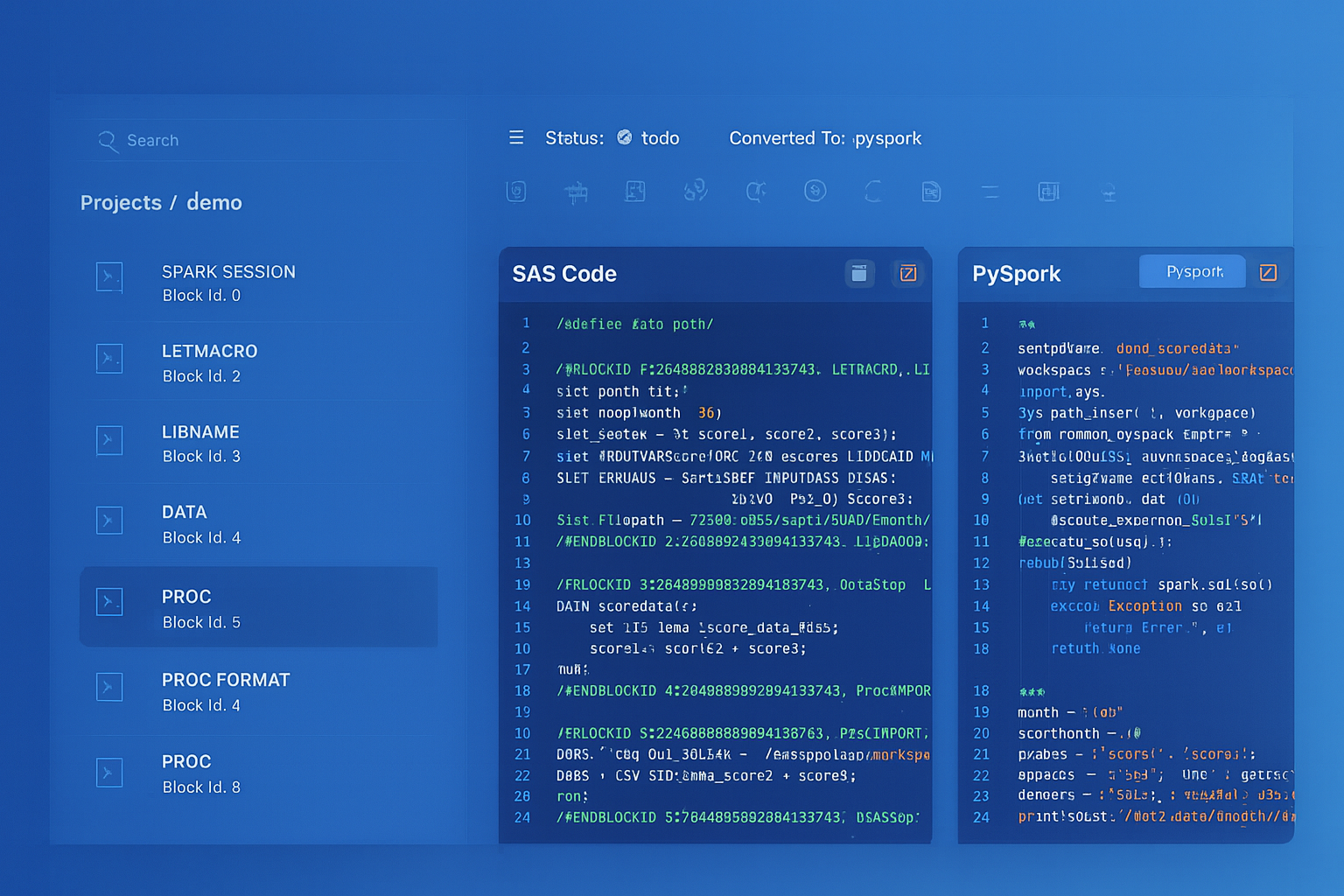
From parsed legacy code to production-ready modern equivalents — MigryX automates the entire conversion pipeline
From Legacy Complexity to Modern Clarity with MigryX
Legacy ETL platforms encode business logic in visual workflows, proprietary XML formats, and platform-specific constructs that are opaque to standard analysis tools. MigryX’s deep parsers crack open these proprietary formats and extract the underlying data transformations, business rules, and data flows. The result is complete transparency into what your legacy code actually does — often revealing undocumented logic that even the original developers had forgotten.
COLLECT STATISTICS: No Equivalent Needed
Teradata requires explicit COLLECT STATISTICS commands to gather column-level and index-level statistics that the optimizer uses for query planning. Stale statistics lead to suboptimal query plans, and statistics collection is a significant operational overhead in Teradata environments — many organizations have dedicated jobs that run COLLECT STATS on thousands of columns across hundreds of tables every night.
BigQuery eliminates this entire category of work. Statistics are collected automatically as data is loaded and modified. The query optimizer always has current statistics, and there is no COLLECT STATISTICS equivalent to run or schedule. During migration, MigryX identifies all COLLECT STATS statements in BTEQ scripts and Teradata macros and removes them from the converted output, adding comments that explain why the statement was omitted.
SET Tables and Duplicate Handling
Teradata distinguishes between SET tables (which reject duplicate rows on insert) and MULTISET tables (which allow duplicates). BigQuery tables are always MULTISET — duplicates are allowed. This is a subtle but important difference that can affect data quality if the Teradata workload relies on SET table semantics to enforce uniqueness.
MigryX handles this by generating deduplication logic for tables that were defined as SET in Teradata. For tables where the SET constraint was intentional (enforcing business uniqueness), MigryX adds a MERGE statement or a post-load deduplication query that uses QUALIFY ROW_NUMBER() OVER (...) = 1 to eliminate duplicates. For tables where SET was the Teradata default and duplicates were never an issue, MigryX converts to MULTISET semantics (standard BigQuery behavior) with no additional logic.
Google BigQuery Migration Service
Google provides the BigQuery Migration Service as a first-party tool for Teradata-to-BigQuery migrations. The service includes three components: BigQuery Migration Assessment (analyzes Teradata workloads and generates compatibility reports), BigQuery Data Transfer Service (moves data from Teradata to BigQuery via GCS staging), and BigQuery SQL Translation Service (converts Teradata SQL to BigQuery Standard SQL).
MigryX complements the BigQuery Migration Service by handling the cases that automated SQL translation cannot: complex BTEQ control flow with conditional branching and error handling, Teradata macros with dynamic SQL construction, stored procedures with advanced SPL constructs (cursors, handlers, dynamic SQL), and cross-script dependencies where multiple BTEQ scripts share volatile tables or session-level settings. MigryX also generates the orchestration layer (Cloud Composer DAGs) that replaces the Teradata scheduling and dependency management that BTEQ scripts rely on.
Teradata Stored Procedures to BigQuery Scripting
Teradata Stored Procedure Language (SPL) includes control flow constructs (IF/THEN/ELSE, WHILE, FOR, CASE), cursor operations (DECLARE CURSOR, OPEN, FETCH, CLOSE), dynamic SQL (EXECUTE IMMEDIATE), error handling (DECLARE HANDLER, SIGNAL), and local variable declarations. BigQuery scripting supports most of these constructs with syntax differences.
-- Teradata SPL Stored Procedure
REPLACE PROCEDURE sp_update_customer_segments()
BEGIN
    DECLARE v_threshold DECIMAL(12,2);
    DECLARE v_count INTEGER;

    SET v_threshold = 50000.00;

    -- Update high-value customers
    UPDATE customer_segments
    SET segment = 'PLATINUM'
    WHERE customer_id IN (
        SELECT customer_id
        FROM orders
        GROUP BY customer_id
        HAVING SUM(amount) >= v_threshold
    );

    SET v_count = ACTIVITY_COUNT;

    IF v_count > 0 THEN
        INSERT INTO etl_log (proc_name, rows_affected, run_ts)
        VALUES ('sp_update_customer_segments', v_count, CURRENT_TIMESTAMP);
    END IF;
END;

-- BigQuery Scripting Equivalent
CREATE OR REPLACE PROCEDURE `project.analytics_db.sp_update_customer_segments`()
BEGIN
    DECLARE v_threshold NUMERIC DEFAULT 50000.00;
    DECLARE v_count INT64;

    -- Update high-value customers
    UPDATE `project.analytics_db.customer_segments`
    SET segment = 'PLATINUM'
    WHERE customer_id IN (
        SELECT customer_id
        FROM `project.analytics_db.orders`
        GROUP BY customer_id
        HAVING SUM(amount) >= v_threshold
    );

    SET v_count = @@row_count;

    IF v_count > 0 THEN
        INSERT INTO `project.analytics_db.etl_log`
            (proc_name, rows_affected, run_ts)
        VALUES
            ('sp_update_customer_segments', v_count, CURRENT_TIMESTAMP());
    END IF;
END;
MigryX SQL Transpilation Engine
MigryX’s Teradata transpiler parses Teradata SQL into an abstract syntax tree (AST), applies over 500 transformation rules to convert Teradata-specific syntax to BigQuery Standard SQL, resolves data type mappings, and generates syntactically valid BigQuery SQL. The transpiler handles the full Teradata SQL dialect, including proprietary extensions like QUALIFY, SAMPLE, NORMALIZE, PERIOD operations, EXPAND ON, temporal queries, and Teradata-specific join syntax (INNER JOIN ... ON and legacy comma-separated join syntax).
For BTEQ scripts, MigryX separates the BTEQ command layer from the embedded SQL, converts each independently, and reassembles the result as either a BigQuery scripting block (for simple sequential scripts) or a Cloud Composer DAG (for scripts with complex control flow, file I/O, or multi-step orchestration). The conversion preserves error handling semantics: BTEQ .IF ERRORCODE checks become BigQuery BEGIN...EXCEPTION blocks or Airflow task retry and failure callbacks.
Every conversion includes a detailed mapping report that shows the original Teradata SQL alongside the generated BigQuery SQL, with annotations explaining each transformation applied. This report serves as both documentation and audit trail for compliance-sensitive environments where query logic changes must be reviewed and approved.
Key Takeaways
- Teradata-to-BigQuery is one of the most mature and well-supported migration paths, with Google’s BigQuery Migration Service providing first-party assessment, data transfer, and SQL translation capabilities.
- Both Teradata and BigQuery are MPP architectures, making the migration technically sound. The key difference is that Teradata uses fixed-node AMPs while BigQuery uses dynamic serverless slots — eliminating capacity planning and infrastructure management.
- Teradata Primary Indexes map to BigQuery partitioning (for date columns) and clustering (for join/filter columns).
COLLECT STATISTICSis eliminated entirely — BigQuery optimizes automatically. - BigQuery natively supports
QUALIFY,MERGE, window functions, and most Teradata analytical functions — making the SQL translation straightforward for analytical workloads. - BTEQ scripts require dual-layer conversion: BTEQ commands (
.LOGON,.EXPORT,.IF ERRORCODE) map to Google Cloud auth,EXPORT DATA, and BigQuery scripting control flow. Embedded SQL is transpiled from Teradata dialect to Standard SQL. - SET table uniqueness semantics must be handled explicitly in BigQuery, either through deduplication queries or Dataform assertions that validate uniqueness after load operations.
- MigryX maintains 500+ function remappings covering date/time, string, null handling, analytical, and statistical functions — handling not just name changes but also argument order, null behavior, and return type differences.
- Teradata stored procedures (SPL) convert to BigQuery scripting procedures with DECLARE, IF/ELSE, LOOP, and EXCEPTION constructs.
ACTIVITY_COUNTmaps to@@row_count.
Why MigryX Is the Only Platform That Handles This Migration
The challenges described throughout this article are exactly what MigryX was built to solve. Here is how MigryX transforms this process:
- Deep AST parsing: MigryX’s custom-built parsers achieve 95% accuracy on every supported legacy technology — not through approximation, but through true semantic understanding.
- Merlin AI augmentation: Where deterministic parsing reaches its limit, Merlin AI resolves ambiguities and implicit behaviors, pushing accuracy to 99%.
- Complete coverage: MigryX supports 25+ source technologies including SAS, Informatica, DataStage, SSIS, Alteryx, Talend, ODI, Teradata, and Oracle PL/SQL.
- End-to-end automation: From parsing to conversion to validation — MigryX automates the entire pipeline, not just one step.
MigryX combines precision AST parsing with Merlin AI to deliver 99% accurate, production-ready migration — turning what used to be a multi-year manual effort into a streamlined, validated process. See it in action.
Ready to migrate your Teradata warehouse to BigQuery?
See how MigryX transpiles your BTEQ scripts and Teradata SQL to BigQuery Standard SQL — with 500+ function remappings, Primary Index conversion, and full lineage tracking.
Explore BigQuery Migration Schedule a Demo